SalahNow
Follow religious dates in the calendar
SalahNow’s calendar helps you examine religious days alongside their dates. Use the calendar in the app to look ahead or revisit a selected date. This guide explains how to select a date in the app and use the calendar alongside your daily prayer timetable.
Choose the date you want to view
Check the month and year shown when you open the calendar. Distinguish today’s view from a view with another date selected. Read a religious day’s name alongside its displayed date. If you are planning ahead, revisit the relevant year and date in the app instead of relying only on a screenshot saved from an earlier calendar view.
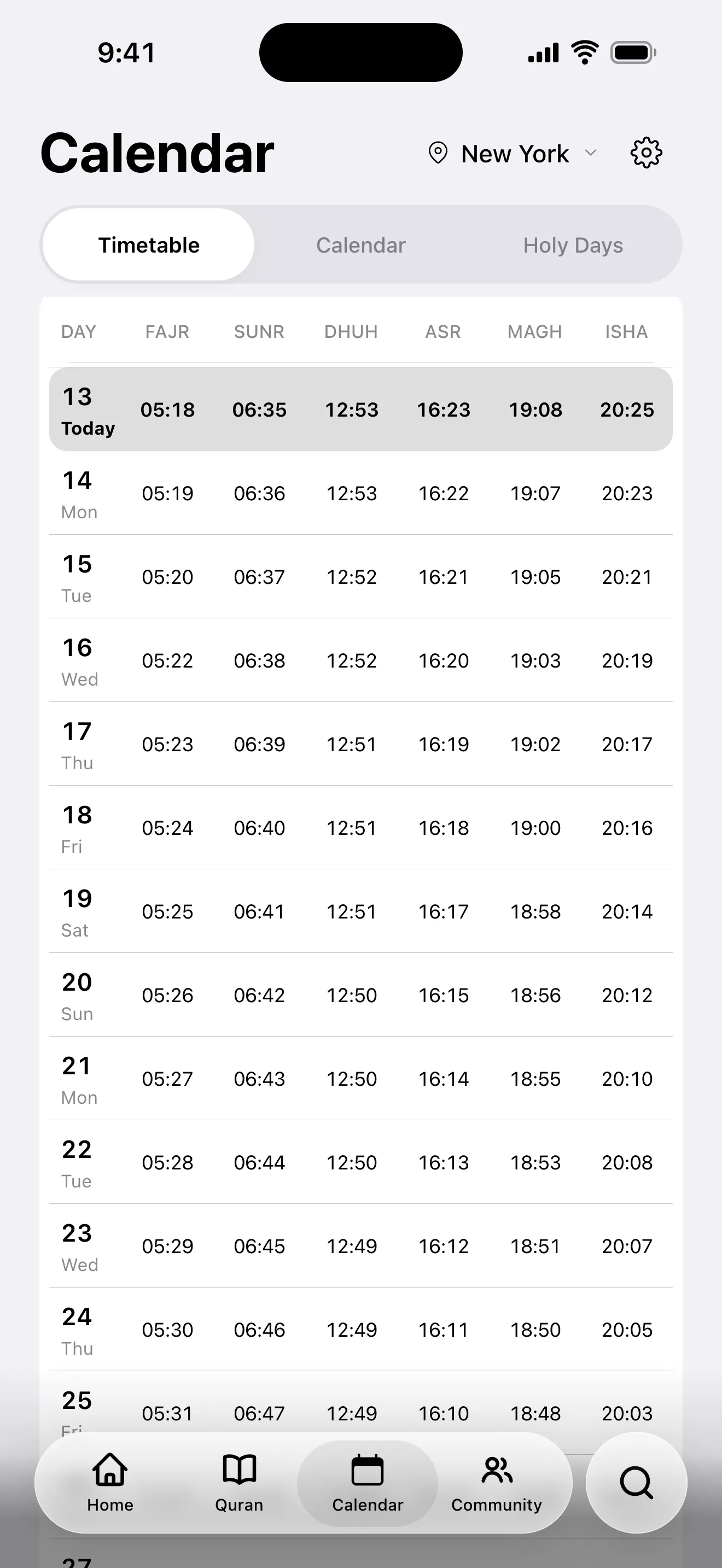
Read each entry in context
The name and date together help identify a calendar entry. When comparing with another calendar, check that both refer to the same year and the same named day. Read any additional explanation or source information offered in the app. Seeing a date entry does not mean you have reviewed every associated practice or local announcement.
Check daily prayer times separately
Religious dates and daily prayer times serve different needs. Selecting a date in the calendar does not replace checking prayer preferences for your current location. For the day’s times, review location, date and method in the prayer section. After travel or a city change, make sure you are not viewing the correct date while still using your previous location for prayer times.
Review the selection before reporting missing information
If you cannot find an expected entry, first check the selected month, year and app section. If you suspect that current information is not loading, review your connection and installed version. When contacting support, include the day’s name, the date you expected and the date displayed. These details make a report more useful than simply saying the calendar is wrong.