SalahNow
Explore the qibla direction with compass and map views
SalahNow helps you examine the qibla direction through compass and map views in the app. Both the location being used and your phone’s sensor status matter when interpreting the display. This guide explains how to use both views in the app and interpret the measurement information shown alongside them.
Confirm the location being used
When opening the qibla section, check the location status and any explanation shown on screen. If permission is missing or a current location is unavailable, follow the app’s guidance for that situation. A previously known location may not be where you are now. After travelling, review location information as well as the direction indicator.
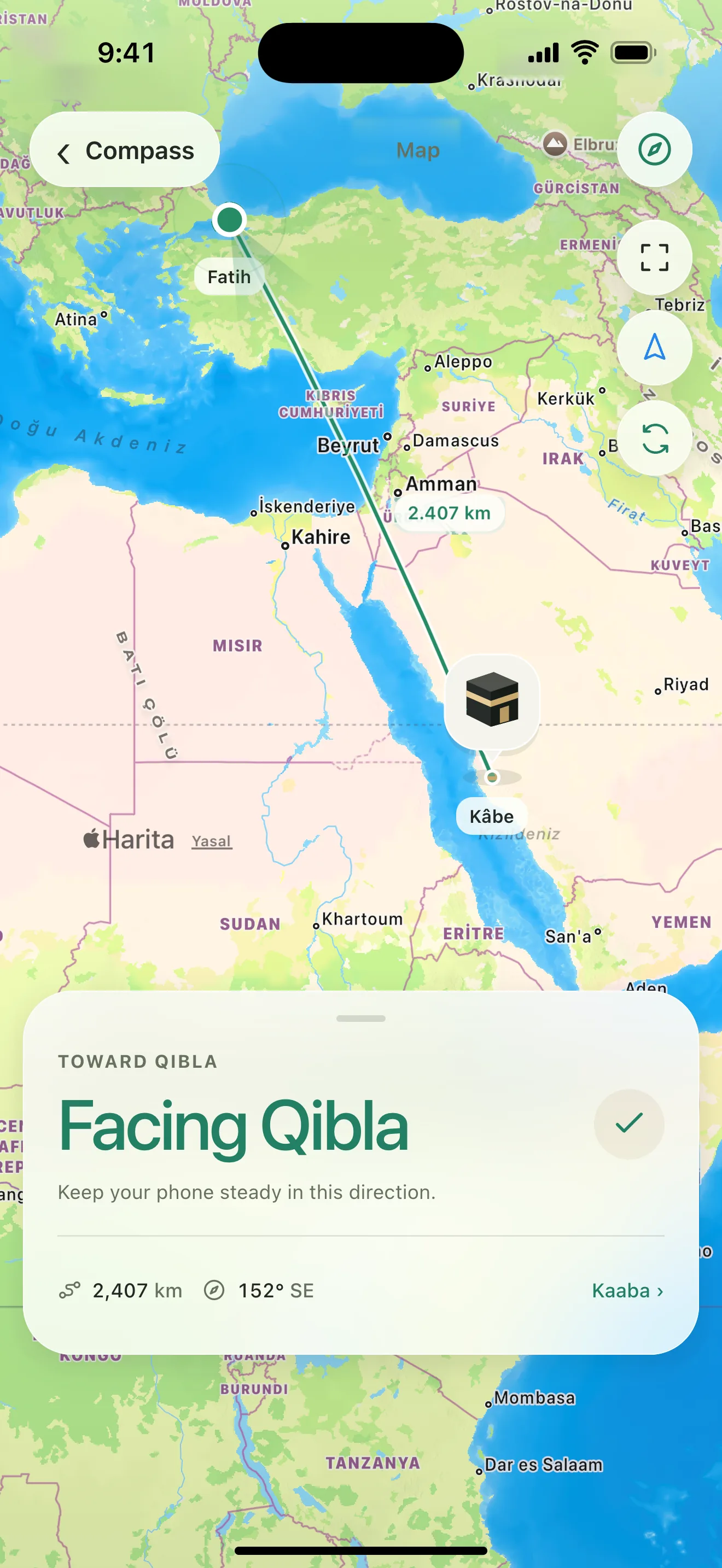
Read the compass measurement status
The compass uses your phone’s direction sensors. How you hold the phone, sensor support and nearby magnetic interference can affect the display. Pay attention to measurement, calibration or interference guidance in SalahNow. Read measurement status alongside the direction indicator. If your device lacks the required sensor support, follow the explanation shown in the app.
Try a different environment if the reading is unstable
Consider magnetic accessories or nearby metal surfaces and try again in a different spot. If the app suggests calibration, follow that guidance. Missing permission, unavailable sensors and strong interference call for different next steps. The status information helps you understand which next step is relevant instead of guessing from the arrow alone.
Use the map as a separate view
The map provides another way to examine direction in a geographical context. It relies on different information from the compass; a map indicator does not validate your phone’s sensor readings. If the map does not load, check your connection. Read the location and any accompanying explanation in either view. Switching views does not itself correct a location problem.