SalahNow
Take part in shared khatm and dhikr activities
SalahNow’s Together experience is designed around rooms for shared khatm and dhikr activities. Participation belongs to a particular room and your membership in it. The experience and available options depend on your installed app version and platform. Begin by reviewing your account and the room you want to join.
Review the room and your membership
Before starting an activity, check the room’s name, description and your participation status. Viewing a room is not the same as being a member. Follow the joining or account guidance shown in the app. If you explore several activities, confirm which room you intend to contribute to; membership and progress should be understood in that room’s context.
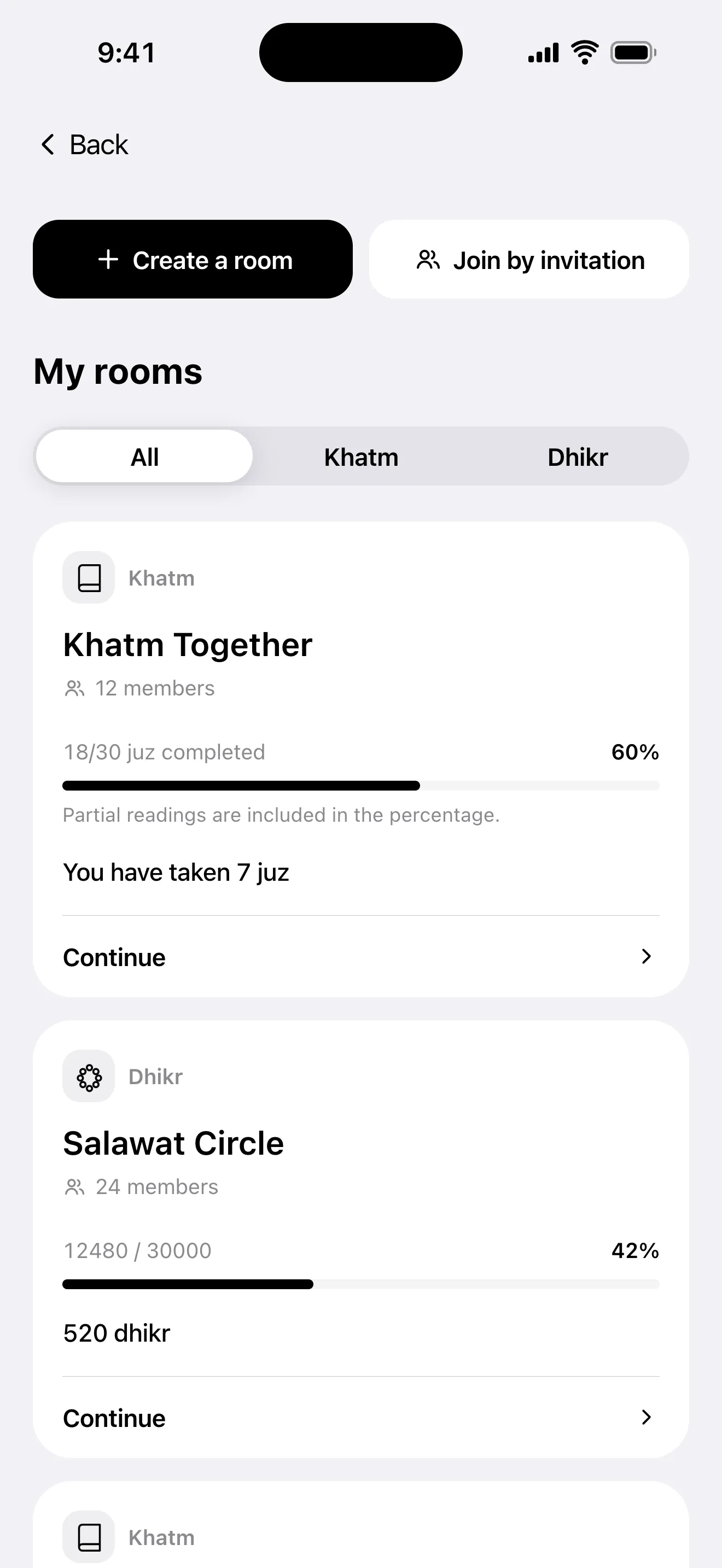
Follow your part in a shared khatm
Review the sections and juz information offered in the khatm room. Keep your assigned reading distinct from your personal Quran reading history. Use the shared activity’s progress workflow as you continue, then review the state shown in the room. Navigating to a place in the personal reader does not itself mean an assigned part of a shared khatm is complete.
Check contributions to shared dhikr
Review the activity’s target and your own contribution status in the dhikr room. Track the repetitions you want to share through the relevant room’s contribution workflow. Check the current value after contributing. If the connection drops or the outcome is unclear, refresh and examine the room before entering the same contribution again. Compare the displayed result with the action you intended.
Remember the shared activity needs a connection
Room membership and shared progress involve exchanging information with other participants. Check your network connection and signed-in account when using these shared actions. After switching accounts, check which session you used to join. If an option is missing, review version, platform, account and membership status first; an access problem and an empty room are different situations.